

Why 90% of Office Moves Fail at IT (And How to Be in the 10% That Don’t)
An it office move project plan is a structured, phased roadmap that guides your tech team through every step of relocating IT infrastructure — from the initial audit to post-move system testing — with minimal downtime and zero data loss.
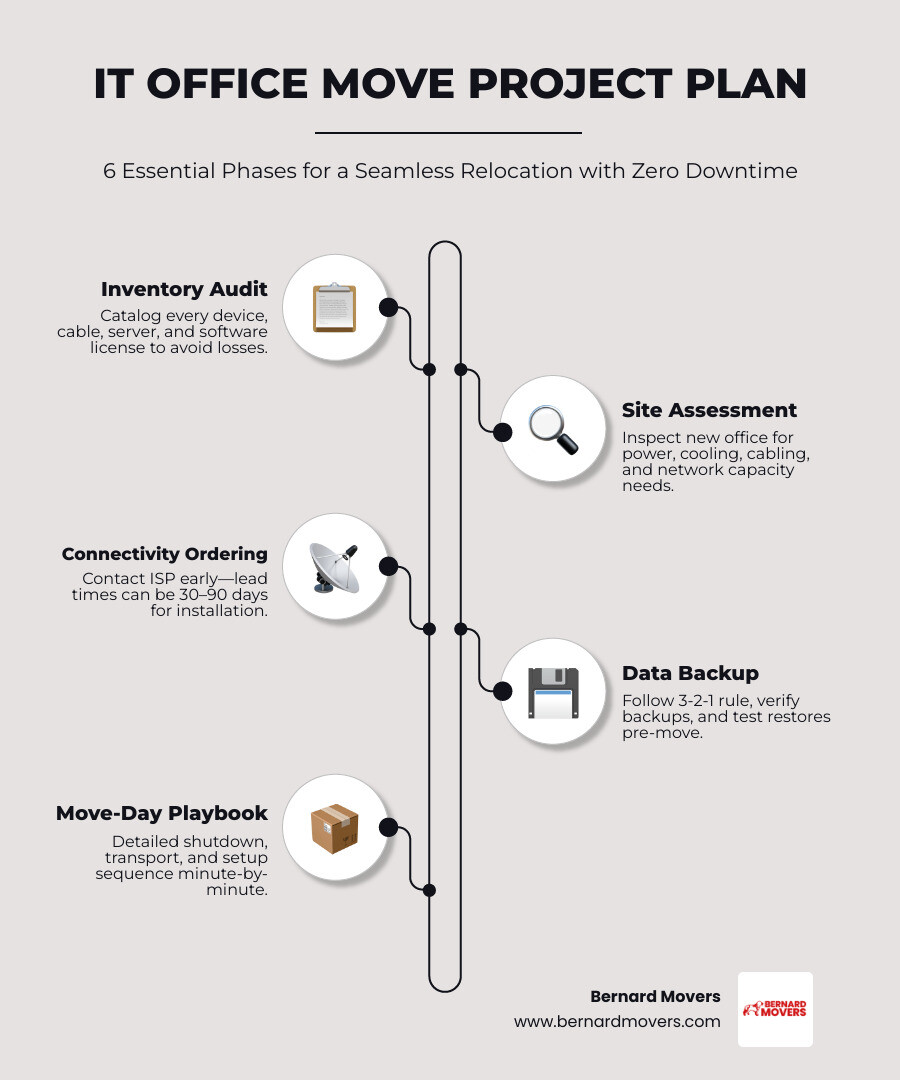
Here’s what a solid IT office move project plan covers:
- Inventory audit — catalog every device, cable, and license before anything moves
- Site assessment — inspect the new office for cabling, power, cooling, and network capacity
- Connectivity ordering — contact your ISP early (internet installation can take 30–90 days)
- Data backup — verify backups and test restores before move day
- Move-day playbook — a minute-by-minute shutdown, transport, and setup sequence
- Post-move testing — confirm internet, phones, servers, printers, and applications are live
Think back to the last time your company moved offices. Was everything working on day one?
For most businesses, the answer is no. As many as 90% of office moves run into IT operational problems — lost network access, dead phone lines, printers that won’t respond. Only 1 in 10 moves goes smoothly from an IT perspective, and the difference is almost always preparation.
For businesses in Chicago, Melrose Park, and across Illinois, the stakes are real. A single day of IT downtime can mean missed deadlines, frustrated clients, and lost revenue.
The good news? With the right project plan, most of those problems are entirely preventable.
Discover more about it office move project plan:
Creating a Comprehensive it office move project plan
A successful relocation isn’t just about putting servers in a van and hoping for the best. It requires a meticulous it office move project plan that treats the move like a high-stakes deployment. In our experience moving businesses through the busy streets of Chicago and Melrose Park, we’ve seen that the most successful tech teams use a “workback schedule.” This means you start from your desired “Go-Live” date and plan every task in reverse.
If you want to be operational by Monday morning, your internet needs to be live two weeks prior, and your cabling must be certified four weeks before that. A small office move typically requires at least three months of preparation, while larger Illinois enterprises may need eight months to a year to organize effectively.
One of the first decisions you’ll face is whether to handle the technical heavy lifting internally or hire specialized help. While your internal team knows your systems best, they are often stretched thin during a move.
| Feature | DIY IT Move | Managed IT Move |
|---|---|---|
| Direct Cost | Lower upfront | Higher upfront |
| Risk of Damage | High (unspecialized handling) | Low (specialized packing/transit) |
| Downtime | 2–4 days on average | 1–4 hours on average |
| Hidden Costs | Lost productivity, data recovery | Minimal |
For businesses in the Chicago area, the cost of moving IT equipment for a small to medium business typically ranges from $2,000 to $10,000. This covers specialized services, installations, and service transfer fees. To keep these costs under control, a structured IT Office Move Project Plan is your best defense against “scope creep” and unexpected emergency fees.
Phase 1: Inventory Audit and Site Assessment
Before you pack a single mouse, you need to know exactly what you own. We recommend a comprehensive technology audit. This isn’t just a list; it’s a categorization of every asset into four buckets: Keep, Upgrade, Repurpose, or Dispose.
An office move is the perfect excuse to stop paying for that server from 2016 that’s only still running because everyone is afraid to touch it. If a piece of hardware is over 4 years old, it might actually be cheaper to replace it than to pay for the decommissioning, specialized transport, and reinstallation costs.
Once your inventory is set, perform a site survey of the new location. Don’t just look at the view from the windows; look at the “bones” of the building.
- Power Sockets: Are there enough for every workstation?
- Server Room: Does it have dedicated cooling and ventilation?
- Cabling: Is it Cat5e or the modern standard, Cat6?
- Security: Does the new space in Melrose Park or Des Plaines have adequate access control?
Creating origin and destination maps is critical. Label every port, cable, and piece of Moving Office Equipment with a color-coded system. For example, use blue for the Art department and red for IT. This ensures that when the crates arrive, they go to the right desk immediately, rather than sitting in a pile in the lobby.
Phase 2: Network Infrastructure and Connectivity
Connectivity is the heartbeat of your business, and in the Illinois telecom landscape, it’s also the most common point of failure. Business-grade internet circuits often require 60 to 90 days for installation. If you wait until the month of the move to call your ISP, you might find yourself running a 50-person office off a 4G hotspot—a nightmare we’ve seen cost companies tens of thousands in lost productivity.
When planning your New Office Setup, prioritize the following:
- Internet Lead Times: Order your primary and backup lines on day one of planning.
- Structured Cabling: Schedule your cabling contractor to finish at least a month before move-in. This allows you to test every drop before furniture arrives.
- Server Relocation: Plan for the physical requirements of your racks. Ensure the floor can handle the weight and the power supply is redundant.
- Network Drops: Design for today, but plan for 20–30% growth. Adding two extra drops now is significantly cheaper than calling a contractor back in six months.
Executing the it office move project plan on Move Day
Move day is when the “plan” meets reality. To ensure success, you need a detailed move-day playbook. This document should be a minute-by-minute run sheet that specifies exactly who is doing what, from the moment the first server is powered down to the moment the last workstation is tested.
The sequence is vital. You should follow a controlled shutdown to prevent data corruption:
- Phase A: Non-essential peripherals, printers, and individual workstations.
- Phase B: Application servers, databases, and storage area networks (SANs).
- Phase C: Core network infrastructure, firewalls, and UPS systems.
Before the physical move begins, hold a “Go/No-Go” meeting. If a critical backup failed the night before or the new site’s internet isn’t verified, you need the authority to postpone. Once the “Go” is given, use a strict labeling protocol. Every cable should be tagged at both ends, and every piece of hardware should have a destination tag that corresponds to a specific port on the new floor plan. This level of detail prevents the “spaghetti cable” nightmare that often plagues new office setups.
When it comes to Office Relocation Chicago, logistics like freight elevator reservations and downtown parking permits are just as important as IP addresses. Many Chicago high-rises restrict freight elevator use to off-hours or weekends. Your it office move project plan must account for these local constraints to avoid being stranded on the sidewalk with a rack of servers.
We always recommend that IT equipment be transported separately from general office furniture. Using specialized vehicles with air-ride suspension prevents the vibration damage that can kill hard drives and loosen internal components. Never let general office movers toss your servers into a truck with desks and chairs; the “savings” will vanish the moment you have to pay for forensic data recovery.
Post-Move Validation and Business Continuity
The move isn’t over when the last box is dropped. The real work begins with “Day Zero” testing. Your goal is to have every critical system validated before the first employee walks in on Monday morning.
To minimize downtime, we suggest having your IT partners on-site for the entire first day. This “floor-walking” support allows them to catch small issues—like a printer that didn’t reconnect or a Wi-Fi dead zone—before they turn into tickets that clog your help desk.
Communication is your best tool for maintaining business continuity. Keep your stakeholders informed with regular updates:
- 7 Days Out: Final instructions for staff (e.g., “Take your laptops home Friday”).
- Move Night: A “Systems Down” confirmation email.
- Sunday Evening: A “Systems Go” or “Known Issues” status report.
For a structured approach to tracking these tasks, you can utilize an IT Office Relocation Plan Template to visualize progress and catch late tasks before they derail your timeline.
Data Protection and Risk Mitigation
Data is your most valuable asset, and moving is the time it is most at risk. We advocate for the 3-2-1 backup rule:
- 3 copies of your data.
- 2 different media types.
- 1 copy stored off-site (ideally in the cloud).
Before disconnecting anything, perform a full “golden copy” backup and—crucially—test the restore process. A backup you haven’t tested is just a collection of hope. Verify that your Corporate Office Moving Checklist includes a specific sign-off for data integrity.
Don’t forget the physical side of risk. Ensure your moving insurance covers the “replacement value” of your IT assets, not just their weight. In the tech world, a 50-pound server is worth a lot more than 50 pounds of scrap metal.
Testing Systems for Operational Readiness
Once the hardware is plugged in, run through a comprehensive validation checklist. Don’t just check if the lights are on; check if the business can actually function.
- Connectivity: Can users reach the public internet and the internal VPN?
- Telephony: Are call routings and hunt groups working correctly?
- Printers/Scanners: Can every department print their essential documents?
- Line-of-Business Apps: Do your specific industry tools (CRM, ERP, etc.) connect to their databases?
A thorough Office Moving Checklist should include a “Day One” testing phase where you simulate a full workload to ensure the network doesn’t buckle under pressure.
Finalizing the it office move project plan
As the dust settles in your new Chicago or Melrose Park office, the final step of your it office move project plan is the “punch list.” This is a list of all the minor issues—the “snags”—that need to be fixed in the first week. Once those are cleared, hold a “lessons learned” meeting. What went well? What caused a delay? Documenting this ensures that your next expansion is even smoother.
At Bernard Movers, we understand that an IT move is about more than just boxes; it’s about your business’s ability to function. Whether you are moving within Chicago, Des Plaines, or Evanston, we provide the professional support needed for a seamless transition.
Planning a move to the Southeast? We are currently offering a 20% additional discount on moves to Georgia and Florida booked for delivery by March 15, 2025.
Whether you’re scaling up in Elmhurst or downsizing in Skokie, we’re here to help you get your tech where it needs to be. For more information on our specialized services, check out our guide on Office Moves and let’s get your team back to work.